Help
The things families actually ask. If yours isn't here, write to us — a real person answers.
Getting started
+Is it really free? What's the catch?
It is free, with no subscription and no paywall, and it stays that way. It is funded by its founder and by donations — a family that gives nothing gets exactly the same app as a family that gives. There are no ads and we don't sell anything about your children; the privacy policy is the short version of why.
+Do my kids need their own accounts?
No. Accounts are for adults, and signup asks you to confirm you are 18. You create one adult account and add a learner profile for each child. That is deliberate: it keeps a grown-up in control of what gets collected and who can see it.
+How do I get it onto my child's phone?
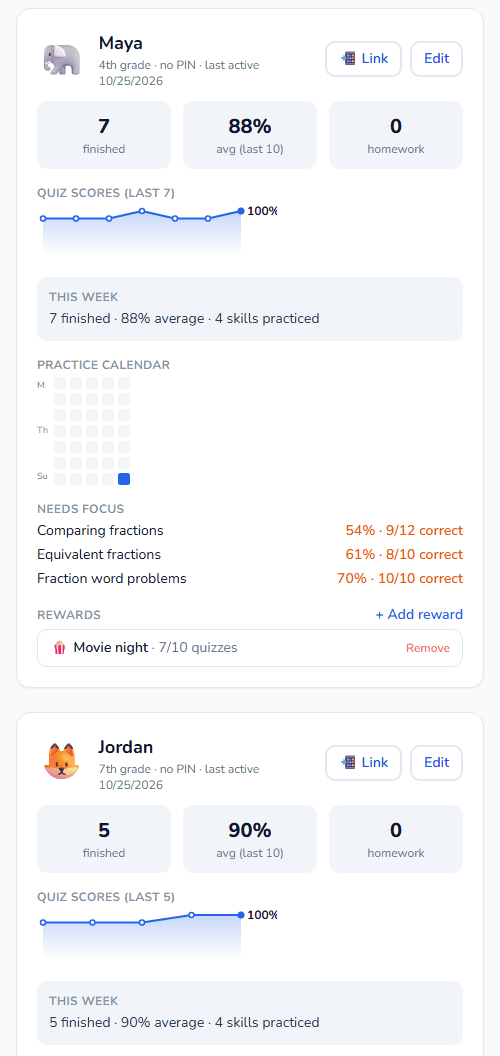
From the parent dashboard, tap Link on their profile and send them the link. It signs that device in as that learner only — they see their own practice and nothing of yours or their siblings'. If a device is lost, use Reset login link and every old link stops working immediately.
Using it
+It says I already have a quiz in progress and won't start a new one.
One quiz at a time, on purpose — half-finished quizzes used to pile up and the next one would silently do nothing. You'll be offered Finish my quiz or Start fresh; starting fresh throws the old one away and builds what you actually asked for.
+I typed a topic and got asked which kind I meant.
That happens when a topic could lead somewhere genuinely different — “Percy Jackson” might mean the books themselves or the Greek myths behind them, and they are different lessons. Pick one, or tap Just pick for me. Specific topics like “dividing fractions” never ask.
+A quiz came back on the wrong topic, or wouldn't build at all.
Try the topic again — most of these are transient. If it keeps happening on one topic, a narrower phrasing usually works (“comma splices” rather than “English”). We'd genuinely like to know: mail rob@leftstart.org with the topic you typed.
+What is a PIN for, and what if we forget it?
An optional 4-digit PIN on the parent dashboard keeps a curious child out of the grown-up screens. It is a deterrent, not a lock, and we say so plainly rather than pretending otherwise.
If you forget it, tap Forgot your PIN? on the lock screen and enter your account password. That clears the PIN and lets you set a new one. Your child doesn't know the account password, which is what makes it a way back in for you and not for them. Forgotten the password too? Use Forgot your password? on the sign-in page and we'll email you a link.
A learner's own profile PIN is separate: you can change that one from the parent dashboard, and you never need to know the old one.
+What is a duo quest, and how do we start one?
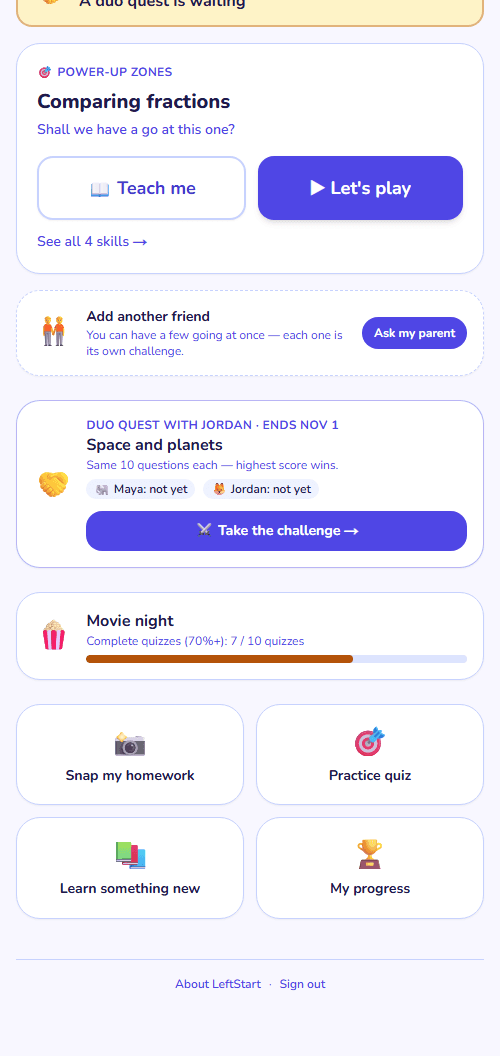
Two learners answer the same set of questions and the scores sit side by side — a friend in another family, or two people in yours. Start one from a learner's own screen or from the dashboard, then send the invite code. If the other person is already on your account, they get a “Join in” button instead and no code is needed.
A learner can have three going at once. One that nobody finishes by its end date drops off on its own and frees the slot, so an abandoned challenge never blocks the next one.
Children can only create their own once you switch that on for them, per child, on the dashboard — and because the title a child types shows up on another family's screen, titles are screened before they are stored.
+Can it read the questions out loud?
Yes — tap the 🔊 on a question and it reads the question and the answer choices. Tap it again to stop. It is there for a child who reads more slowly than they think, which is most of them at some point.
It uses the voices built into the phone or computer you are on, so quality varies by device rather than by anything we control. A few devices advertise voices they then refuse to speak; if you tap and get silence, the device's own accessibility settings are the place to change voice.
It uses the voices built into the phone or computer you are on, so quality varies by device rather than by anything we control. A few devices advertise voices they then refuse to speak; if you tap and get silence, the device's own accessibility settings are the place to change voice.
+My child wants to learn something that isn't homework.
That is what Learn something new is for. Type any topic — a planet, a war, a chord progression — and it teaches the idea first, then offers a quiz when they are ready. No photo and no homework needed.
It is the same engine as the rest of the app, so anything they practice this way still counts toward their skills and their progress.
It is the same engine as the rest of the app, so anything they practice this way still counts toward their skills and their progress.
+Is there anything for the SAT, ACT or GED?
Yes — Test prep has practice sections for the SAT®, ACT®, PSAT/NMSQT®, GED®, ASVAB, ATI TEAS® 7, ACCUPLACER® and the CDL knowledge test. Most are timed at the real exam's pace, because an untimed section teaches the wrong habit for a timed test; the ACCUPLACER is untimed, as the real one is.
Learners are only offered the exams that make sense for them: a 9th-grader is not shown the GED, and an adult learner is not shown the PSAT. If the one you want is missing, it is probably gated by grade — write to us and say which.
Learners are only offered the exams that make sense for them: a 9th-grader is not shown the GED, and an adult learner is not shown the PSAT. If the one you want is missing, it is probably gated by grade — write to us and say which.
How the learning works
+What does the mastery percentage actually mean?
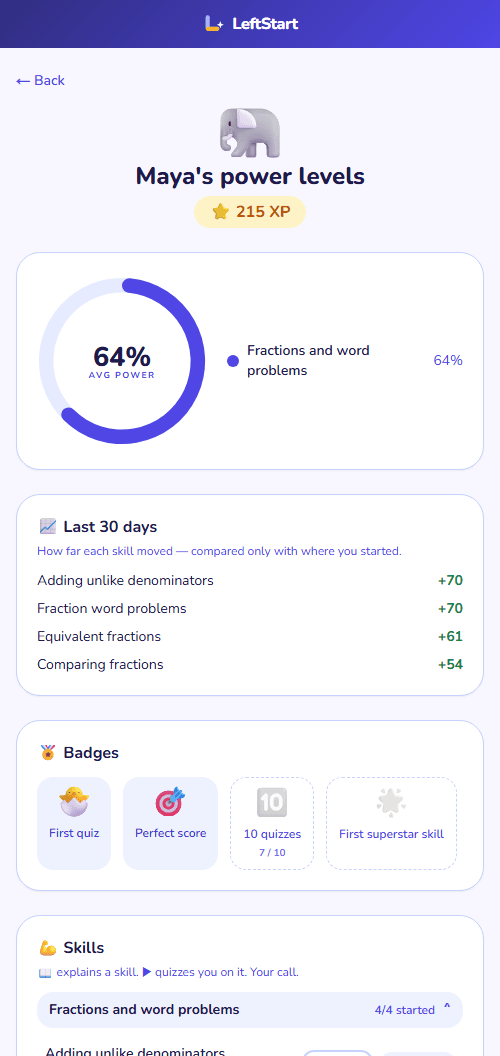
It is our estimate of how well a learner has that one skill, built from how they answer over time rather than from a single quiz. A skill won't show as mastered on a few lucky answers — it needs real evidence — and the app says “not started” rather than pretending an unpracticed skill is weak.
+Why did a score go DOWN when my child didn't do anything?
Mastery fades if a skill goes unpracticed, the way it does in real life, and refreshers bring old skills back on purpose. Most apps only ever count upwards, which quietly overstates what a learner still knows.
+Can the AI be wrong?
Yes, and we'd rather say so. Every multiple-choice question is checked before a learner sees it — a second pass answers it independently and drops anything the two disagree on — but no check is perfect. Treat it as a very patient tutor, not an authority, and tell us when it gets something wrong.
+What are the points and badges actually for?
Turning up. The streak rewards the habit. XP goes up for practicing and more for getting it right, and badges mark milestones. They are deliberately the loudest thing on a child's screen because the hardest part of learning anything is coming back tomorrow.
The mastery percentage is the real measure, and it is the one that can go down. If you only look at one number, look at that one.
The streak forgives one missed day a week, on purpose. A streak that dies on a sick day teaches a child that the honest thing to do after missing a day is to stop.
The mastery percentage is the real measure, and it is the one that can go down. If you only look at one number, look at that one.
The streak forgives one missed day a week, on purpose. A streak that dies on a sick day teaches a child that the honest thing to do after missing a day is to stop.
Your account and your data
+How do I delete a profile, or everything?
Both are self-serve in the parent dashboard, and both are immediate — deleting a profile takes its practice history with it, and deleting the account takes everything. No email required, no retention period, no “are you sure you want to lose your progress” dark pattern.
+Something is broken, or a page looks wrong.
Mail rob@leftstart.org — a screenshot and roughly what you tapped is plenty. Bug reports from families are how most of this app got fixed.